
Engine Simulator Vehicle Mode
Clutch, gears, and load: turn a free-revving script into something you can actually launch.
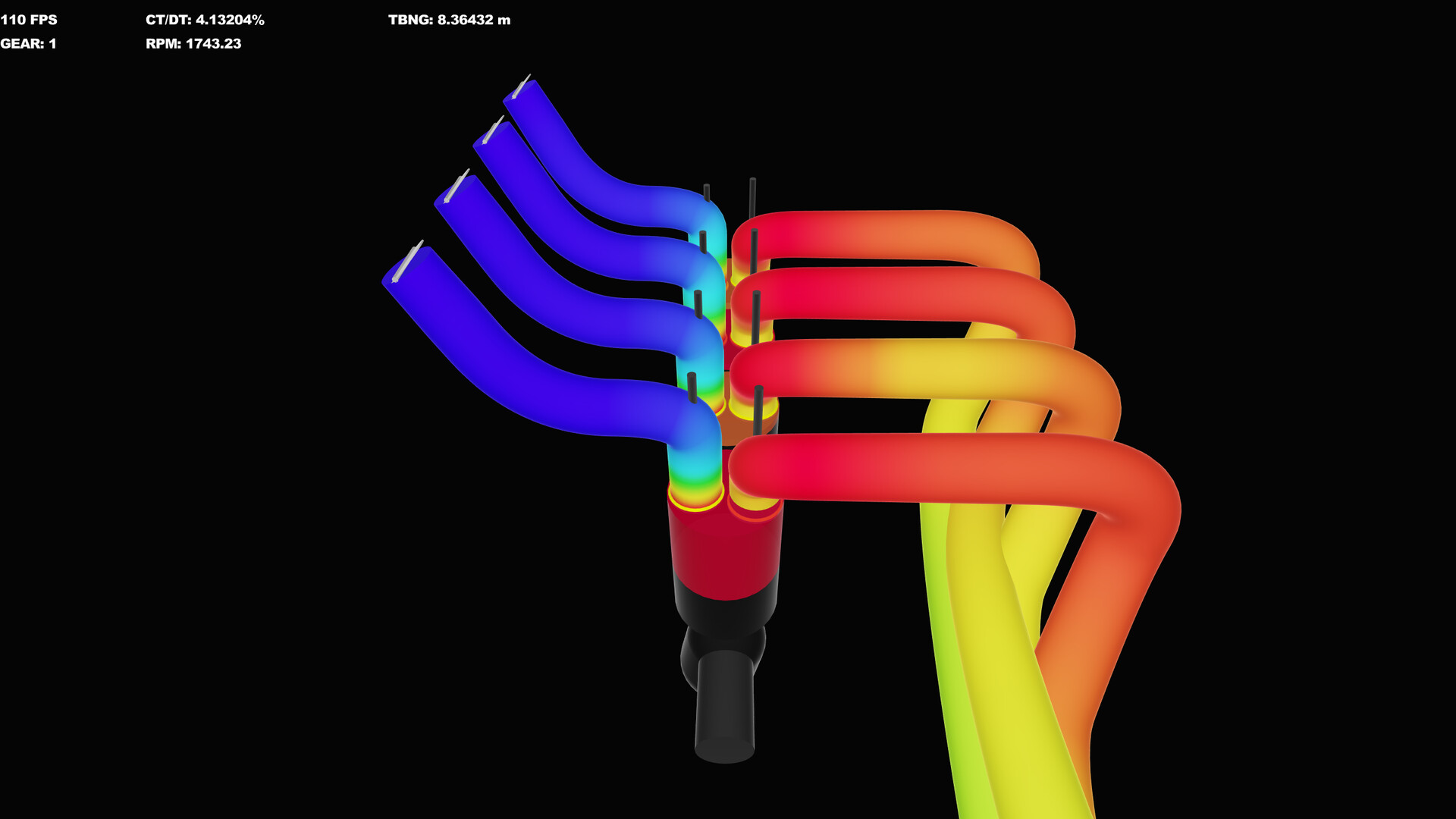
Vehicle mode is where Engine Simulator stops being a pure listening booth and starts behaving like a tiny driveline lab. Instead of free-revving against almost nothing, the engine faces a clutch, a gearbox, and a vehicle load (mass, drag, and the inertia that fights every launch). Community Edition keeps the presentation minimal—gauges for clutch pressure, gear, RPM, and speed—but the physics still punish clutch dumps and peaky cams the way a real manual would.
This guide assumes you can already idle a known-good engine from Getting Started and that you keep Controls nearby. Stabilize RT/DT near 70 with N + scroll before you practice launches (Performance Tuning). Driving while the audio buffer is starving teaches bad habits and hides stall cues.
What vehicle mode is (and is not)
In CE, many scripts expose or attach engine + transmission + vehicle nodes. When those are active, Up/Down gears and the clutch bind to a simulated driveline rather than decorative HUD chrome. You are not in a full open-world racer inside the classic CE UI—the point is honest load on the crank so idle, tip-in, and gear changes change the synthesizer the way road load would.
AngeTheGreat’s racing-demo experiments (see the embedded video) push the same idea further: car and engine as one coupled simulation with procedural audio. Treat CE vehicle mode as the practice clutch for that philosophy; Steam’s future tooling is expected to deepen vehicle and editor workflows, not erase the need for smooth engagement skills.
Prerequisites before first launch
- Engine idles cleanly with ignition A and starter S.
- RT/DT parked near 70; time warp low while learning.
- You know fine throttle (Space + scroll) and coarse steps (Q / W / E / R).
- Dyno is off unless you intentionally want brake/load conflict—learn vehicle launches separately from Dyno Testing.
If a catalog file loads engine-only without transmission/vehicle nodes, gears may do nothing useful. Fix or pick a pack that calls run(...) / set_transmission / set_vehicle correctly via Load Community Engines.
Key map for clutch, gears, and brake
| Input | Action |
|---|---|
| Shift | Clutch in (disengage) |
| Shift + Space | Smooth clutch engagement / release |
| Y | Hold clutch at the current pressure |
| T / U (while holding Y) | Decrease / increase clutch pressure |
| Up arrow | Upshift |
| Down arrow | Downshift |
| . (period) | Vehicle brake |
Watch the Clutch gauge: fully pressed Shift drives pressure toward disengaged; releasing Shift (especially with Space held) feeds pressure back in. Y plus T / U is the CE culture trick for feathering without a hardware pedal—hold a partial engagement, nudge pressure, then continue the launch.
Launch sequence (smooth shift FAQ style)
Q: How do I leave the line in first without stalling?
A: Clutch in with Shift → select first with Up → add a little throttle → release the clutch slowly while holding Space with Shift, or park a partial bite with Y and trim using T / U. Feed throttle as load rises. Dumping the clutch on a lumpy cam is the fast path to a stall.
Q: How do I upshift without lighting up the driveline?
A: Ease off throttle → clutch in → Up → reapply throttle → smooth clutch out. Same pattern down: clutch, Down, match revs with a blip if the engine is peaky, then engage.
Q: Full throttle launch tips for stubborn engines?
A: Some heavy scripts are easier if you hold more throttle and slip the clutch longer rather than trying a delicate idle launch. Still prefer controlled slip over an instant dump—listen for the synthesizer’s load change as the clutch gauge climbs.
Q: What if I am already moving and need to stop?
A: Brake with . , clutch in before RPM collapses into a stall, and select a sensible gear before you roll away again.
Avoiding stalls on peaky engines
Narrow powerbands, aggressive cams, and big-displacement catalog builds idle with little forgiveness. Habits that help:
- Launch in the RPM island where the engine actually makes torque—not the lowest possible idle.
- Prefer Space + scroll micro-throttle over jumping straight to R.
- Use Y / T / U to hold a slipping clutch instead of binary in/out.
- If you stall, clutch in, confirm gear, restart with A / S, and try again with more slip time.
- Retune frequency if RT/DT spikes mid-launch; a crackling buffer makes timing feel random.
When stalls persist after good technique, open Troubleshooting to rule out ignition mistakes and script boot problems.
Vehicle vs free-rev vs dyno
| Mode | What loads the engine | Best for |
|---|---|---|
| Free-rev | Minimal resistance | Learning sound, tip-in, idle tuning |
| Dyno (D / H) | Controlled absorber / hold | Horsepower and torque numbers |
| Vehicle | Clutch, gears, vehicle inertia/drag | Launch feel, gear spacing, road-load audio |
Do not judge a cam solely in free-rev if you care about street manners—pull it on the dyno, then confirm the vehicle can leave cleanly. Conversely, do not call a dyno “wrong” because you stalled in first; those are different questions.
Time warp caution while driving
Keys 1–5 accelerate simulated time. High warp is fine for waiting on boring settles; it is a terrible teacher for clutch timing. Drop warp to a low preset before practice launches so your hands and the synthesizer share the same clock. If audio falls apart, fix RT/DT before blaming the gearbox.
Troubleshooting stalls and “no gear”
- Stalls immediately: More clutch slip, slightly higher launch RPM, smoother Shift+Space release.
- No gear change: Confirm focus is on the sim window; verify the script actually set a transmission/vehicle; try a bundled demo that is known to drive.
- Clutch gauge stuck / weird: Reload with Enter, re-idle, then reattempt; corrupted experimental edits sometimes need a clean Load Script.
- Speed never builds: You may be in too high a gear, fully clutched in, or braking with . by mistake.
- Only one catalog file misbehaves: Bisect with
atg-video-*demos, then fix the pack entrypoint.
Persistent install or DLL issues are not vehicle problems—send those to Troubleshooting.
Ange racing demo and Steam’s future
The embedded video—“Making a Terrible Racing Game with Great Audio”—shows the long-term fantasy: Engine Simulator audio and physics driving a car on a track. CE vehicle mode is the humble relative of that demo, but the clutch lessons transfer. Wishlist the Steam ICE product (app 2381500) for richer editor and vehicle tooling while you keep practicing on CE today.
Related guides
- Controls — full keybind tables
- Dyno Testing — measured load vs road load
- Performance Tuning — RT/DT while driving
- Load Community Engines — scripts that include vehicle nodes
- Troubleshooting — stalls vs install failures
Master a clean first-gear launch on a mild engine before you chase catalog monsters. Vehicle mode rewards patience the same way the synthesizer rewards a stable clock: small, deliberate inputs sound—and drive—better than panic.
Frequently Asked Questions
Quick answers about setup, controls, dyno testing, and builds.
How do I engage the clutch smoothly in Community Edition?
Hold Shift to clutch in, then release while holding Space for a gradual bite. For finer control, hold Y to freeze pressure and nudge it with T or U.
Why do I keep stalling in first gear?
Add more clutch slip, launch a little higher in the torque band, and avoid dumping Shift on peaky cams. Fine throttle with Space + scroll helps.
Up and Down arrows do nothing. Is vehicle mode broken?
Many scripts need transmission and vehicle nodes set via run(...) or set_transmission / set_vehicle. Load a known driving demo, then fix the catalog entrypoint.
Should I use the dyno and vehicle load at the same time?
Learn them separately. Dyno is for controlled power measurements; vehicle mode is for clutch, gears, and road-like inertia.
Is CE vehicle mode the same as Ange’s racing demo?
Conceptually related—coupled engine and vehicle with synthesized audio—but CE’s UI is a simpler driveline lab. Steam aims to expand vehicle and editor tooling later.