
Engine Simulator Create Custom Engines
Author and convert .mr engine scripts with sane firing orders, TDC, and iterative dyno checks.
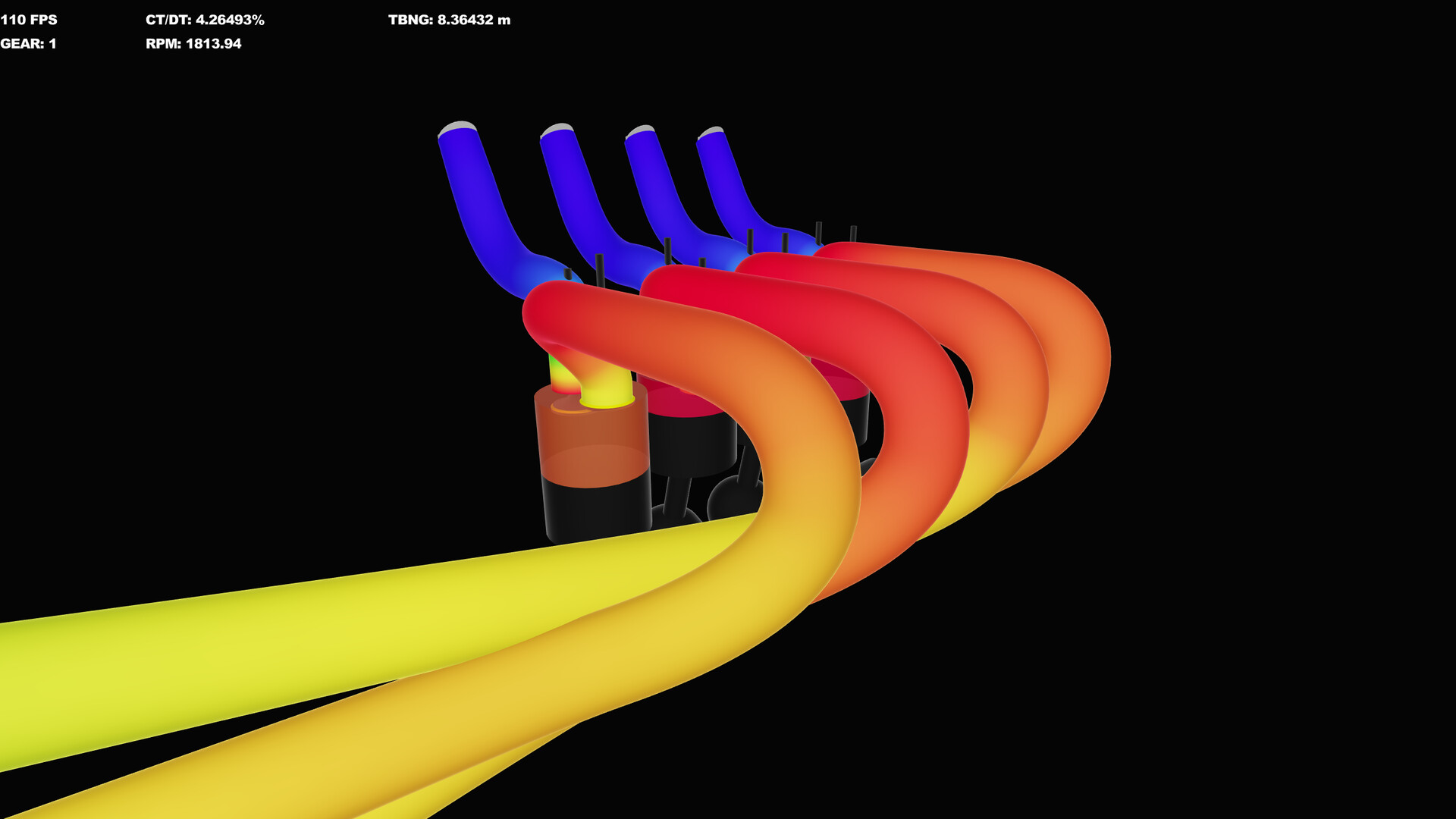
Creating engines is the long game of Engine Simulator. Community Edition exposes engines as Pico-style / domain .mr scripts under assets/engines/. You define crank geometry, cylinders, cams, intakes, and the nodes that main.mr or run(...) will call. The upcoming Steam editor aims to make much of this visual, but script literacy still matters—and CE is the gym where most creators still train.
This guide focuses on practical authoring habits: file layout, firing order, TDC, converting between layouts, and a test loop that uses Dyno Testing instead of guesswork.
Mindset before you type
- Start from a working engine closest to your target (I4 → another I4, not a radial).
- Change one subsystem at a time: crank and throws, then rods/pistons, then heads/cams, then intake/exhaust.
- Reload with Enter after every save; keep Controls nearby.
- If RT/DT explodes, cut simulation frequency before you “fix” timing that was never broken—see Performance Tuning.
File and node basics
Engines live as .mr files. Inside, look for public node definitions. The node that actually constructs the engine is what set_engine(my_node()), run(engine: my_node(), ...), or a legacy main() entry will call. Naming consistency matters: folder path for import, node name for instantiation.
Typical CE bootstrapping still revolves around assets/main.mr imports plus a call that selects the engine, or the newer Load Script button when the file already contains a proper run(...) / set_engine block. Details and catalog pitfalls: Load Community Engines.
Firing order
Firing order is the sequence of cylinder combustion events. In script land you usually express it alongside crank throw angles and ignition timing so each piston reaches a sensible TDC before its spark event. Community guides often walk examples such as converting a listed order 1-4-2-3 into crank spacing for an inline-four.
Practical rules:
- Write the human firing order you want (from a real engine reference).
- Map each cylinder index in the script to that order—do not assume array order equals fire order.
- Derive crank pin angles from even spacing for the layout (for example 180° on many I4 patterns, 120° on I6, 90° on common cross-plane V8 thoughts—verify against your model).
- After changes, idle the engine: uneven firing often “sounds wrong” immediately because audio is synthesized from the events.
When in doubt, compare against a known-good script of the same layout on the Best Engines Hub discussion of why cross-plane V8s, flats, and rotaries feel different.
TDC and bank angles
TDC (top dead center) is your angular reference for when a piston is at the top of travel. Many authoring writeups compute TDC-related offsets from bank angle and cylinder spawn angle. A common teaching example: with bank angle 0 and a cylinder spawn at -90, the difference helps reason about a 90° relationship used while placing companion cylinders.
For V engines:
- Set the bank angle to match the architecture (90° V8, 60° V6, etc.).
- Place left/right bank cylinders with mirrored offsets.
- Confirm that rod and journal definitions still clear numerically—bad geometry can hard-crash or produce nonsense torque.
Inline engines keep bank angle at 0 and focus on crank spacing plus firing order. Boxer / flat layouts need opposing banks phased correctly so the soundtrack and shaking forces match expectations.
Converting layouts
Popular conversion paths in the community:
- I4 → I6: add cylinders, rescale crank pins to 120° spacing, extend the firing order, lengthen the block nodes carefully.
- I6 → V12: duplicate banks with the correct bank angle, interleave firing, watch CPU cost (V12s punish weak machines).
- Cross-plane ↔ flat-plane V8: rewrite crank pin phasing and firing order; exhaust “character” will change dramatically in the synthesizer.
- Piston → rotary (advanced): do not naively duplicate piston nodes—study rotary example scripts and dedicated tutorials; geometry and intake timing differ at the root.
Always keep a git commit or zip of the last running file. Layout conversions are where people overwrite a good I6 while chasing a V12.
Suggested authoring loop
- Duplicate a stock or catalog engine into
assets/engines/yourname/. - Rename nodes so imports cannot clash with the original.
- Adjust displacement-related dimensions modestly; boot and idle.
- Fix firing order / TDC until idle sounds even.
- Dyno-hold at two RPM points; log torque.
- Only then touch cams or intake lengths.
- When stable, publish notes for others: node name, CE version, known limits.
Editor future vs CE scripts
Steam previews show a dedicated engine editor, playback tools, and clearer CPU profiling. That will reduce notepad gymnastics, not eliminate engineering judgment. Skills you build now—firing order reasoning, one-variable tests, listening while measuring—transfer directly. Track progress on Steam Status and remember CE is increasingly legacy relative to that build (Community Edition).
Quality bar for sharing
Before you upload to the catalog:
- Boots via Load Script or documented
run(...)instructions. - Idle is stable without miracle starter dances.
- RT/DT guidance included for heavy models.
- No dependency on secret absolute paths.
- Credit donor scripts you forked.
Related practice pages
- Load Community Engines — how players will actually run your file.
- Dyno Testing — prove changes with holds.
- Audio Export — capture high-quality samples of your creation.
- Guides Hub — full how-to index.
Custom engines are where Engine Simulator stops being a demo and becomes a workshop. Move slowly, measure twice, and let the synthesizer tell you when the firing order is lying.
Frequently Asked Questions
Quick answers about setup, controls, dyno testing, and builds.
Where should my custom .mr file live?
Under assets/engines/ in a personal subfolder. Import that path from main.mr or open it with Load Script if the file already calls run(...) or set_engine.
What is the fastest way to learn firing order edits?
Fork a simple I4, change only crank spacing/firing definitions, reload, and listen at idle before touching cams or intakes.
Why does my converted V8 shake or sound uneven?
Cross-plane vs flat-plane crank phasing and fire order are probably inconsistent. Reconcile pin angles with the intended order, then retest.
Do I need the Steam editor to create engines?
No. Community Edition scripts are enough today. The Steam editor should make authoring friendlier when the TBA release ships.
How do I verify a change actually helped?
Use RPM hold dyno points before and after a single edit, with RT/DT kept near 70 so audio and numbers stay trustworthy.